
Web search
Web search lets the agent search the web for an answer when it can't find one in its knowledge base. It works as a fallback for queries your uploaded data doesn't cover — instead of "I don't know," the agent tries to find an answer on the web. It's disabled by default.
1. How to do it
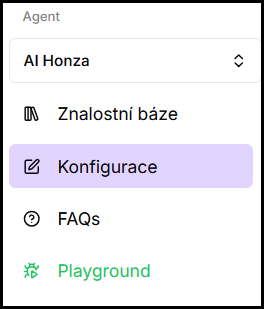
- In the left menu under the selected agent, click Configuration.
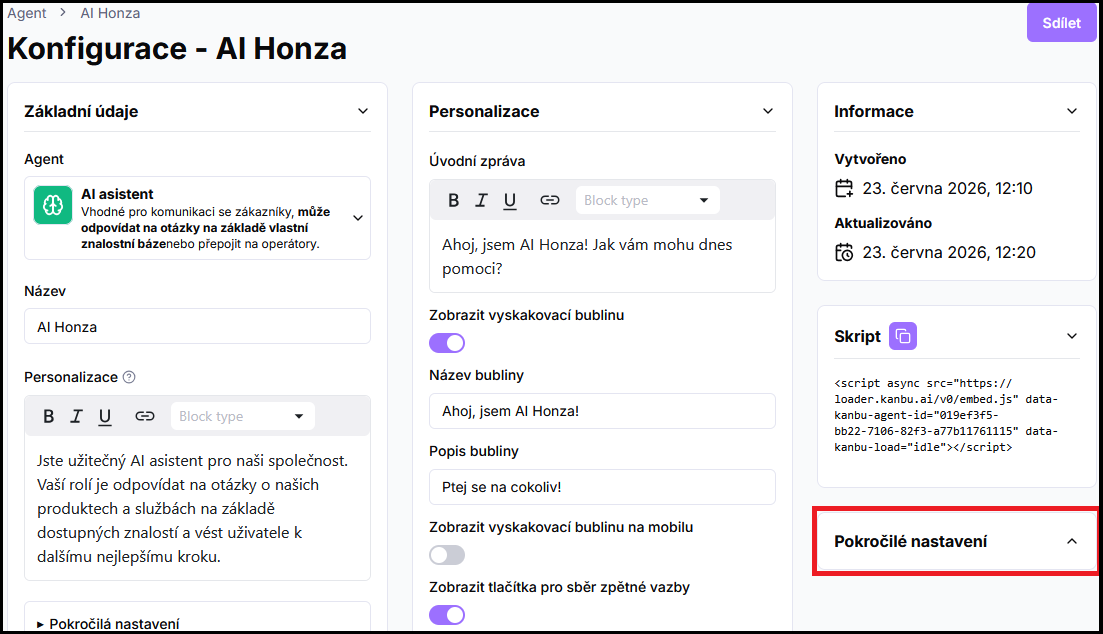
- In the right column, expand Advanced settings.
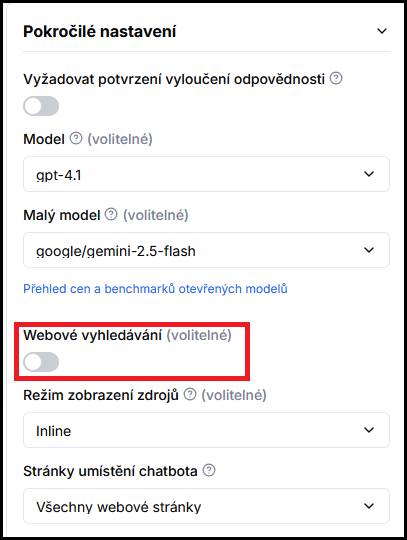
- Enable the Web search toggle.
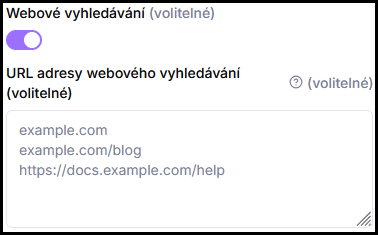
- In the Web search URL addresses field, enter the websites where the agent should search — one address or domain per line. Format can be
example.com,example.com/blog, orhttps://example.com/page.
- Click Save.

From this point on, the agent uses the web as a fallback: it searches its knowledge base first, and if the answer isn't there, it searches the web.
2. Two search modes
Where the agent searches is determined by the address field:
- Empty field → open web. The agent searches the open internet for an answer. Suitable when you want the broadest coverage and don't mind not having full control over the source.
- Specified addresses → selected websites only. The agent searches only the domains and pages you specify (and their subpages). This keeps it on trusted sources you define.
3. How web search works
- It's a fallback, not a replacement for the knowledge base. Your uploaded data always takes priority. Web search is used only when the answer isn't in the knowledge base.
- Content isn't loaded in advance. Unlike adding a source, where Kanbu processes the website into the knowledge base, web search content is looked up at query time. Answers can therefore reflect even recent changes on the web.
- Can read documents too, not just HTML pages. When the agent finds a PDF, Word file, PowerPoint, or a scanned image on the web, it can read it on the spot (including OCR) — not just link to it. If a document can't be read, the agent says so honestly instead of stalling the conversation.
- Default state is off. Until you enable the toggle, the agent draws exclusively from the knowledge base.
4. When to use it
- The website contains information that changes frequently and you don't want to re-upload it as a source each time.
- You want to give the agent broader coverage than just manually selected pages.
- You have a large website and don't want to add all subpages as a source, but want the agent to be able to draw from them when needed.
If you need the agent to always know specific information reliably, add the website as a source to the knowledge base — see Adding sources.
Frequently asked questions
-
What's the difference between web search and adding a website as a source?
An added source is processed by Kanbu in advance into the knowledge base and the agent draws from it preferentially. Web search doesn't process anything upfront — it serves as a fallback the agent uses only when the answer isn't in the knowledge base. For key information, choose adding a source; for supplementary coverage, use web search.
-
Do I have to specify particular websites?
No. If you leave the address field empty, the agent searches the open web. If you enter addresses, you limit search to those only.
-
How do I specify multiple websites?
Write each address or domain on a separate line.
-
Does enabling take effect immediately?
After saving, yes — try it in the Playground with a question that has no answer in the knowledge base.