
Managing client organizations
As a partner administrator, in addition to your own organization (the hub) you also see every client organization Kanbu has linked to you. This page describes how to view your client portfolio, switch between organizations, and create a new client.
1. How to tell you're logged in as a partner
The left-hand menu shows a Partner label under the organization switcher. If you don't see it, you're only managing your own organization as a regular administrator — see Access and roles.
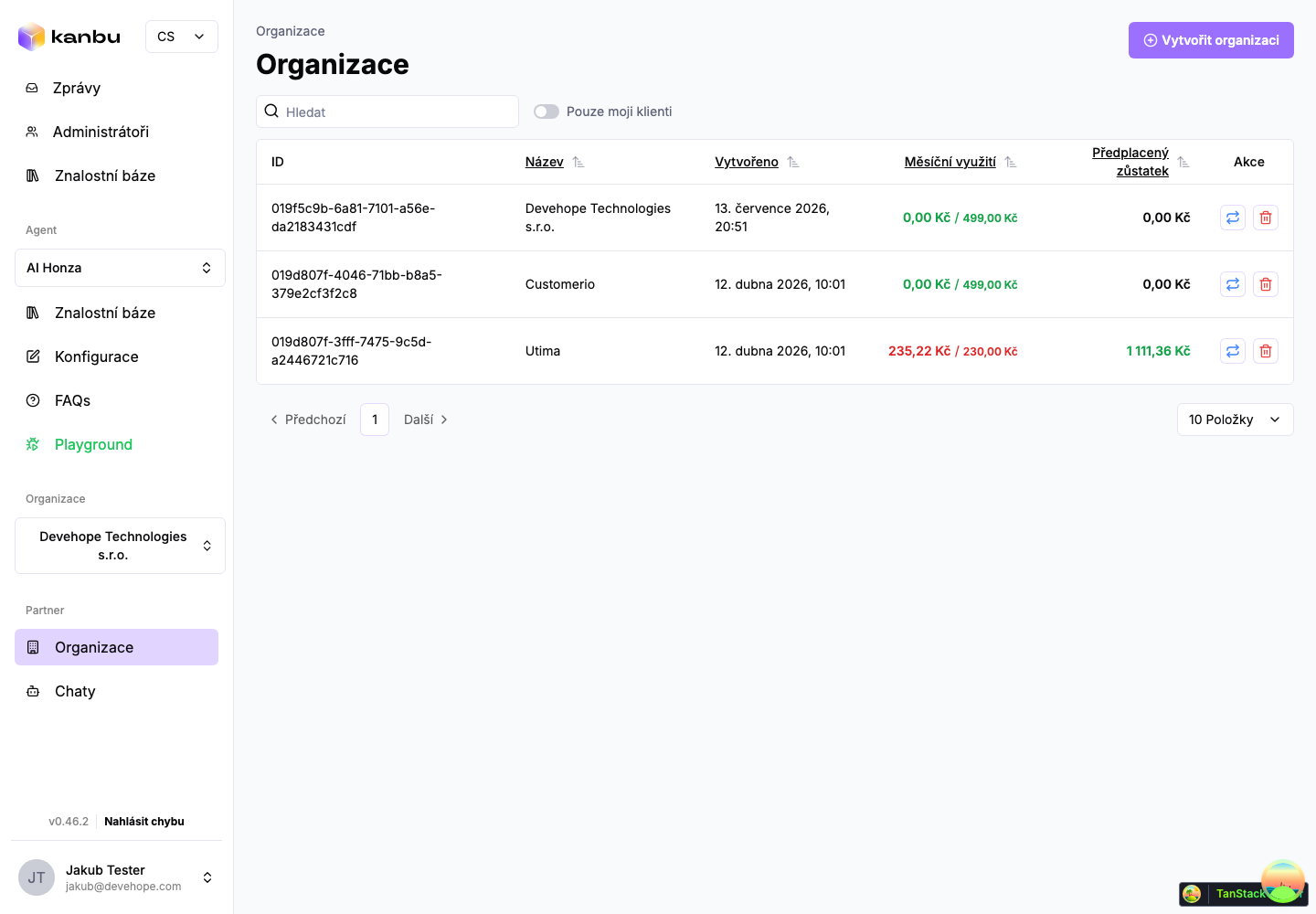
2. Your client list
- In the left menu, click Organizations.
- You'll see your hub and every linked client organization — not other partners' organizations, and not Kanbu customers outside your portfolio.
- The Mine clients only toggle narrows the list to organizations you created yourself or that were assigned to you as the rep. The toggle only changes what's displayed, not which organizations you can access.
3. Switching into a client organization
- In the Organizations list, click the switch icon in the Actions column for that client.
- The app switches you into the client organization — you'll see its Messages, Administrators, knowledge base, and other sections just like the client's own administrator would.
- Switch back to your hub or to another client using the same organization switcher in the left menu.
You can also open a client's edit, billing, or payments page directly by clicking their row in the Organizations list, without switching into them first.
4. Creating a new client organization
You create a new client organization exactly the same way as any other organization in Kanbu:
- On the Organizations page, click Create organization in the top right.
- Fill in the Name (other fields are optional) and click Save. Field details are in Organization management.
The new organization is automatically linked to your partner hub as a client and appears in your list — there's nothing else to configure.
Frequently asked questions
-
Do I see organizations in my list that aren't mine?
No — the list only shows your hub and its clients. If you're unsure whether an organization belongs to your portfolio, check the Mine clients only toggle or contact Kanbu support.
-
Can I delete a client organization?
No, only the Kanbu team can delete organizations.
-
Do my colleagues from the partner company take up a paid seat on the client's user limit?
No. Partner staff don't count toward the client's administrator limit.
Related
- Client billing and subscription — managing a client's plan and invoices
- Organization management — creating an organization, in general
- Access and roles — administrators and operators