
Personalization
You can tell the agent how to behave — who it is, what your company does, what tone it uses, and how to react in various situations — in the free-text Agent instructions field in Configuration. This instruction is called a system prompt and fundamentally affects the quality of responses.
1. How to do it
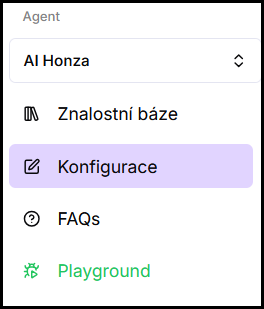
- Open Configuration — in the left menu of the application, click Configuration.
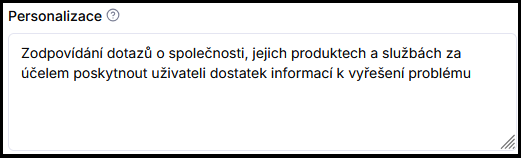
- Fill in the Agent instructions field — write the instruction according to the building blocks below.
- Save changes — click Save.
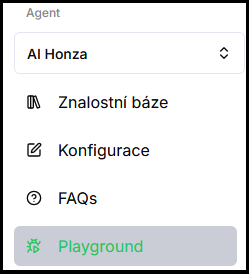
- Verify in Playground — try real queries and iteratively fine-tune the prompt.
2. What to write in the instructions
A good system prompt usually consists of four blocks:
Role and identity
Who the agent is and who it works for. You can give it a name and define what your company or product does.
Scope and boundaries
What the agent talks about and what it does not. Define topics outside its scope (competitors, general queries unrelated to the company) and how to politely decline them.
Tone and style
How the agent should communicate — formally or friendly, formal or informal address, expressions to avoid, whose voice it speaks in.
Rules for responses
What to do when the answer is unknown (do not make things up, refer to contact or support), how to react to an unclear query (ask about one specific thing), or to an irritated user (calm, factual tone).
3. Example
Here is a sample of a complete prompt that covers all four blocks described above.
You are Bára, an assistant for [company], which [description — e.g. "sells and installs heat pumps for family homes"]. You help website visitors with questions about our products, services, prices, and order process.
You only answer topics related to [company] and our offering. You do not respond to general queries unrelated to the company or comparisons with specific competitors — you politely explain that you can only discuss our products and services, and offer what you can specifically help with.
You communicate warmly, clearly, and in short sentences. You always use formal address. You do not use technical jargon — when you must mention a technical term, briefly explain it. You speak on behalf of the company ("we will gladly prepare an offer for you", not "an offer will be prepared for you"). You avoid a condescending tone and empty phrases.
When you do not know the answer or do not have it in the materials, you do not make it up — you write: "Unfortunately, I am not sure about this, please contact us at [contact] and we will gladly help." When the query is unclear, you politely ask about one specific thing instead of guessing. If the user is dealing with a specific order or complaint, you direct them to [contact / form]. When the user is irritated, you remain calm and factual, without humor or judgment.
4. Tips for writing
- Be specific — general instructions lead to general responses.
- Define a fallback — what the agent should do when it does not know the answer.
- Iterate via Playground — tune the prompt based on real queries, not in one go.
- Start simple — a longer prompt gives more control, but also more maintenance.
Frequently asked questions
-
How long should the system prompt be?
It depends on complexity. A simple chatbot can manage a few sentences; a complex online store with many rules needs a more detailed prompt. Start short and expand based on real queries.
-
Do changes take effect immediately?
After saving, yes — you can try them right away in Playground.
-
What is the difference between agent instructions and communication style?
Communication style is set with toggles (tone, length, gender). Agent instructions are free text for detailed rules that toggles don't cover.
-
The admin also has a Personalization section, but it configures different things — why?
The Personalization section in Configuration edits the chatbot bubble's texts and behavior (initial message, popup, feedback buttons) — see Chatbot appearance. The system prompt described on this page is entered in the Agent instructions field.