
Shared data sources across chatbots
One source can be available to multiple agents at once. You don't need to upload the same data multiple times — just configure which agents have access to it.
1. How to do it
1.1 When adding a new source
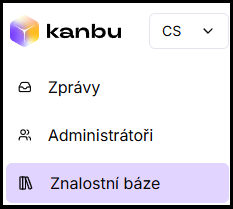
- In the top left menu, open Knowledge base (Knowledge base at the organization level**)**.
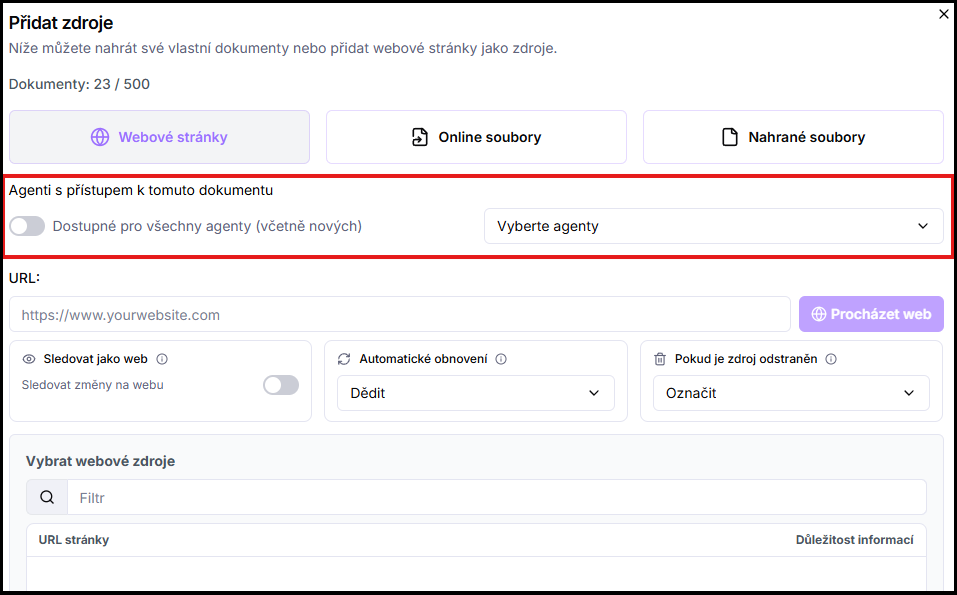
- Click Add document.

- In the add dialog, select specific agents who should have access to the source from the Select agents dropdown. Or enable the Available to all agents (including new ones) toggle — the source will then automatically be available to all agents in the organization, including those added in the future.
1.2 Retroactively on an existing source
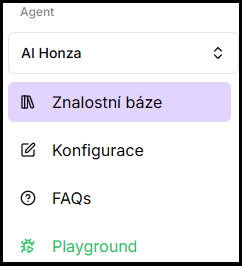
- In the left menu, open any Knowledge base and select the source in the list.
- In the three-dot menu above the list, click Agent access.
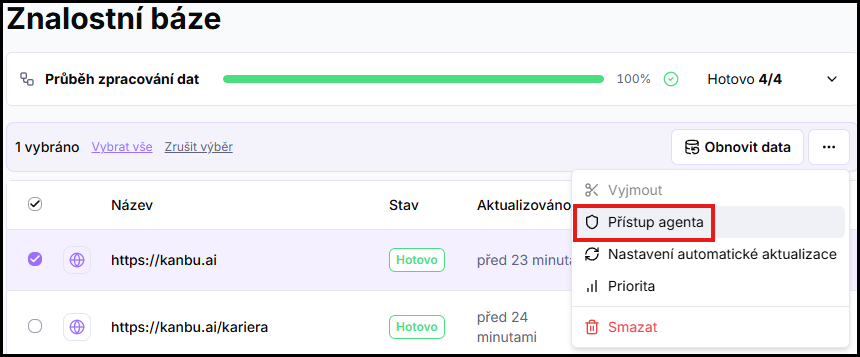
- In the dialog, adjust the agent selection or enable the Available to all agents toggle.
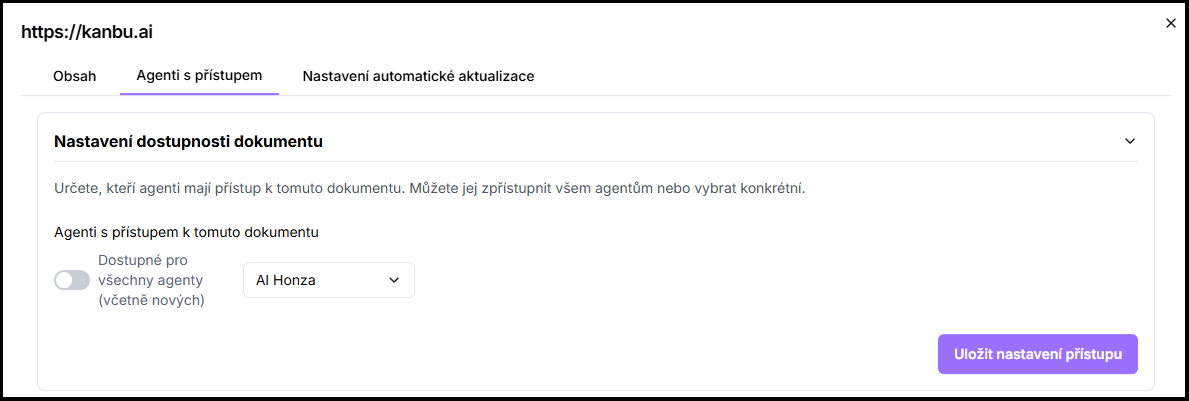
- Save.
1.3 For an entire folder
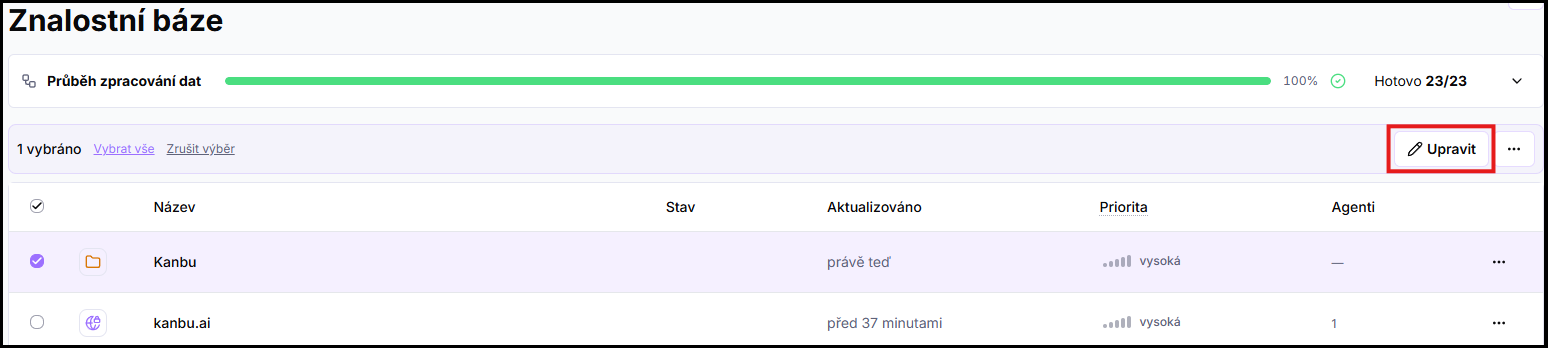
Access can also be set at the folder level — all sources inside inherit it automatically. Select the folder in the list, click Edit above the list, and go to the Agent access tab.
2. Agent Knowledge base vs. organization Knowledge base
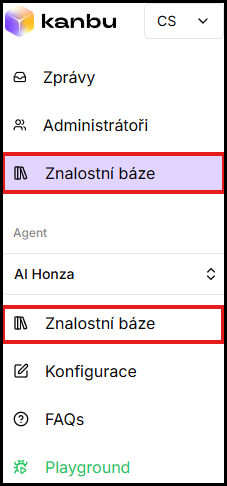
There are two Knowledge base items in the left menu. The one in the Agent section (under the selected agent) shows only that agent's sources. The one at the top of the menu (next to Messages and Administrators) shows all sources across the entire organization regardless of agent.
Sources added through the agent Knowledge base are automatically available only to that agent. They're also added to the organization Knowledge base, where access for other agents can be configured anytime.
If you know from the start that a source will be shared, it's clearer to add it through the organization Knowledge base — when adding there you can immediately select any combination of agents.
Frequently asked questions
-
If I delete a source from the Knowledge base — do all agents lose it?
Yes. Deletion applies across the entire organization — all agents who had access to the source lose it at once.
-
I add an agent to the organization — will they automatically have access to existing sources?
Only to those with the Available to all agents (including new ones) toggle enabled. They won't have access to other sources until you configure it manually.
-
Can a folder have different access settings than sources inside it?
Yes. Settings on a specific source override folder settings. If you want uniform settings, configure them on the folder and leave individual sources at the default value.
-
I want a second agent for testing — how do I give it the same data as the live bot?
On existing sources (or a whole folder), set Agent access and add the test agent, or turn on Available to all agents. Data is uploaded only once. The full workflow for testing away from the live bot is in Agent management and Playground.
Related
- Adding sources — how to add a source and configure access when adding
- Updating sources — managing and reorganizing sources
- Bulk actions — bulk agent access changes
- Agent management — test agent next to the live bot