
Agent types
The agent type determines which features the chatbot has and which menus appear in the configuration. Switching the type unlocks features specific to that mode — for example, uploading a product feed for an online store.
1. How to do it
- Open Configuration — in the main menu, click the Configuration tab.
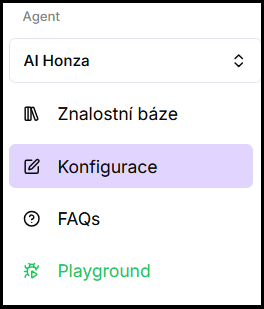
- Expand the Agent dropdown — available types will be displayed.
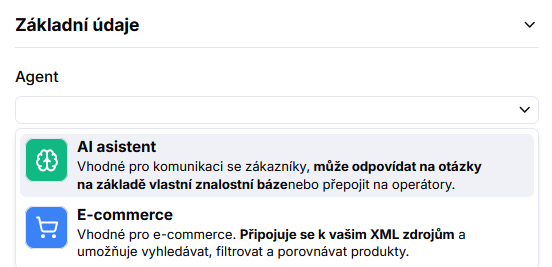
- Select a type — click the desired option (AI assistant or E-commerce).
- Save the change — confirm by clicking Save. The menu will immediately adapt to the selected type.
2. Available types
- AI assistant (default) — a universal chatbot for answering from your web sources and files. Details: AI assistant
- E-commerce — extends the AI assistant with product feed support. The chatbot can return specific products from the catalog. Details: E-commerce agent
Frequently asked questions
-
What happens to my data when I switch the agent type?
Web sources, files, and other general settings are preserved. Only the set of available features and menus changes — we do not delete any data.
-
Can I switch back to the original type?
Yes, at any time. The process is the same — select the previous type in the dropdown and save. Features specific to the inactive type (e.g. Feed for E-commerce) will be hidden from the menu, but their settings remain saved in case you switch back.