
AI assistant

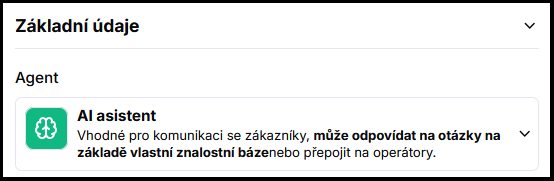
The AI assistant is the default agent type in Kanbu. It works as a universal chatbot that answers customers based on content from your website and uploaded files.
1. What it can do
The AI assistant draws answers from web pages, documents, and PDFs that you add to Kanbu. It can connect information from individual sources and assemble an answer according to the configured priority. It is suitable wherever the chatbot needs to answer questions about your offering, processes, or general company information.
When it cannot handle a query, it can transfer the conversation to a live operator.
2. When to choose the AI assistant
The AI assistant is suitable for most typical deployments — services, education, B2B companies, knowledge bases. Whenever your primary source of information is a website or documents (and not a product catalog), the AI assistant is the right choice.
If you run an online store and want the chatbot to recommend specific products from a feed, consider the E-commerce agent type instead.
3. How to get started
- Verify that you have the AI assistant type set in Configuration (default) — see Agent types.
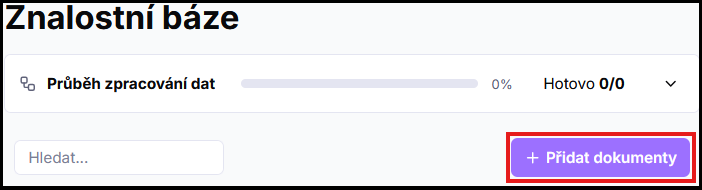
- Add sources — web pages or files. Steps: Adding sources.
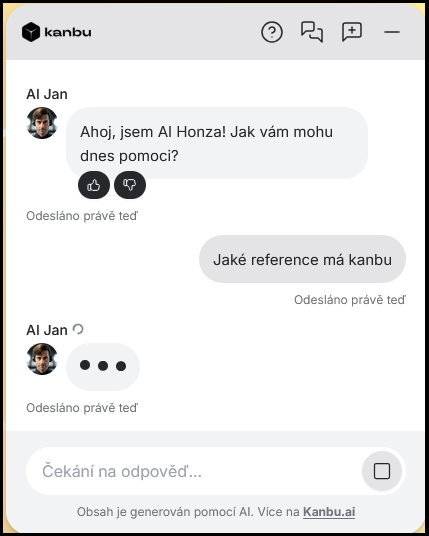
- Test the chatbot in the playground and gradually fine-tune sources based on real queries.
4. Example use case
A language school deploys an AI assistant with its website and several internal documents (price list, cancellation terms). The chatbot answers prospective students' questions about course levels, prices, and dates — drawing from current website content and supplementary information from uploaded files.
Frequently asked questions
-
How does the AI assistant differ from the E-commerce type?
The AI assistant answers from the web and documents. E-commerce can additionally recommend specific products from your catalog (XML feed). If you do not run an online store, the AI assistant is sufficient.
-
Can I switch to E-commerce and back again?
Yes, at any time. See Agent types for the switching process. Settings for both types are preserved — no data is lost between switches.
-
What types of files and sources can I add?
See the overview in Adding sources.