
Choosing an AI model
Kanbu lets you choose the AI model the agent uses to generate answers. Different models vary in accuracy, speed, and cost. The setting is available in the Advanced configuration section in Configuration.
Changing the model is an advanced setting. The default model is set to work well for most cases — change it only if you have a specific reason.
1. How to do it
- In the left menu under the selected agent, click Configuration.
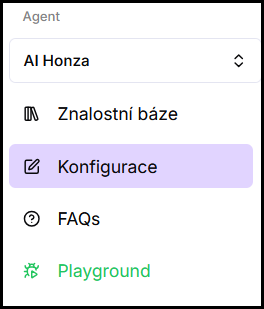
- Expand the Advanced configuration section.
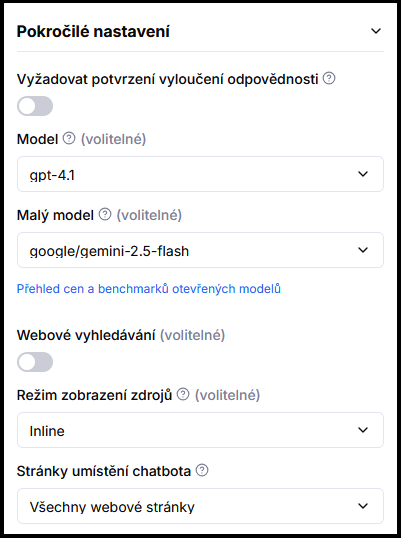
- In the Model selector, choose the desired model.
- Optionally also set the Auxiliary model — it isn't used to answer customers. It handles short background tasks (follow-up question suggestions, content moderation, conversation history summaries). Main-answer pricing doesn't apply to it.
- Click Save.
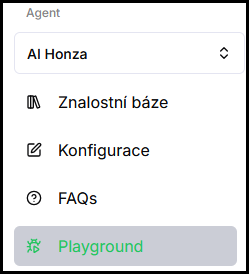
- Verify in Playground — try real queries.
2. Model overview and pricing, right in the picker
Kanbu offers a wide range of models from all the major providers (OpenAI, Anthropic, Google, xAI, and others) as well as capable open models — the lineup keeps growing as new models become available.
You don't need to look elsewhere for an overview — the Model selector itself groups models into Recommended choices, Premium and alternatives, Experimental, and (after expanding) Legacy models. For each model in the list you see:
- A short description — what the model is good for.
- An estimated price per answer — an approximate average in your organization's currency. The actual cost varies with conversation length, context, and tools used.
- An estimated speed — how long the model typically takes to complete an answer.
- An i icon opens a detailed description of the model.
3. How to choose a model
- You need higher accuracy or more complex answers — choose a more powerful model from the Recommended choices or Premium and alternatives group.
- You need faster answers or lower costs — choose a faster, cheaper model as the main model.
- E-commerce agent with a large product catalog — a more powerful model handles product comparison and filtering better.
Specific recommendations shift as new models are added — the model picker in the app is the reliable source, not a fixed list here in the docs.
Frequently asked questions
-
What is the auxiliary model?
It isn't used to answer customers. It handles short background tasks — follow-up question suggestions, content moderation, and summarizing a longer conversation's history. Main-answer pricing doesn't apply to it.
-
Will changing the model affect historical conversations retroactively?
No, changing the model affects only new conversations.