
Source prioritization
Prioritization determines which data the agent will prefer when answering. If there are multiple possible answers to one question, it uses information from more important sources.
1. How to do it
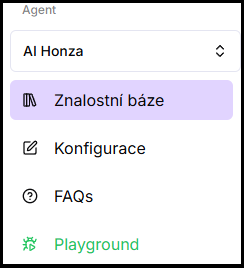
- In the left menu under the selected agent, open Knowledge base.
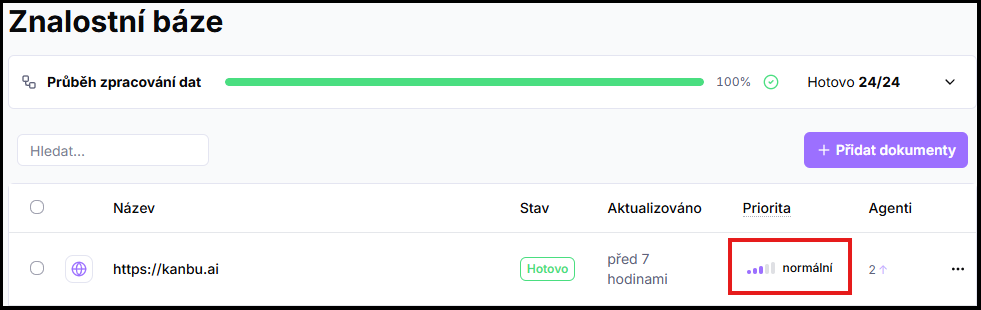
- For a source in the list, click the colored priority indicator in the Priority column.
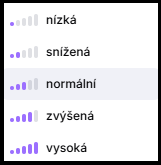
- Select a level — Low, Reduced, Normal, Elevated, or High.
2. When to set priority
Set higher priority for sources containing key and verified information — typically product documentation, pricing, legal pages, or frequently asked questions. Set lower priority for supplementary content, such as blog posts.
Don't use prioritization as a substitute for cleaning up data. Remove language duplicates, outdated content, or unnecessary pages from sources — higher priority won't reduce their influence.
Frequently asked questions
-
What is the default priority for a newly added source?
Normal. If you don't need to favor or suppress a source, leave the default setting.
-
Can priority be set in bulk for multiple sources?
Yes. Select multiple sources and in the three-dot menu above the list choose Priority. Details in Bulk actions.
Related
- Adding sources — how to add a source
- Bulk actions — bulk priority settings